The system is built around five primary functions. They are designed to work together, though users may engage with them independently depending on their particular information requirements.
Structured data review
The core review environment presents classified information in a consistent tabular and card-based format. Users can move between summary and detail views, apply column-level filters, and adjust sort order to focus on the entries most relevant to their current task. The layout remains stable across different record types, reducing the time spent reorienting between categories.
Review sessions can be paused and resumed. The system preserves filter and sort states between sessions so that users return to the same view they left.
Automated classification
When information enters the system, the classification function analyses its properties and assigns it to the most appropriate category based on the account's defined category structure. This reduces the manual effort involved in organising large volumes of incoming information and ensures that new entries are available for review in an ordered state from the moment they arrive.
Classification assignments can be reviewed and corrected through the interface. The system records any manual adjustments and may use them to refine future classification behaviour where the account configuration supports this.
Guided retrieval
The retrieval function is designed for situations where users need to locate a specific record or a defined set of records rather than browse the full classification structure. A guided search interface accepts natural-language queries and structured filter combinations, returning a ranked list of matching entries with the most relevant results shown first.
Retrieval results include a brief contextual summary for each entry, allowing users to assess relevance before opening the full record view.
Information-relationship mapping
Entries in the Brumwickle system do not exist in isolation. The relationship-mapping function identifies connections between records based on shared properties, common references, or chronological proximity. These connections are displayed alongside individual records, allowing users to understand how a given entry relates to the broader set of information available to them.
Relationship maps are presented as navigable link structures rather than static diagrams, so users can follow a thread of related entries without returning to the category view each time.
Category summary and observation layer
Above the individual record and category views, Brumwickle provides a summary layer that aggregates information across the full classification structure. This layer highlights the distribution of entries across categories, the volume and recency of activity, and any notable concentrations or gaps in the available information.
The summary layer is descriptive, not prescriptive. It reflects what is present in the organised information and does not generate recommendations or forward-looking commentary.
How access to the Brumwickle interface is arranged
Access to the platform follows a structured review process. This ensures that the level of access granted is appropriate to the user's stated requirements and that the system is used in line with its intended purpose.
- Submit your enquiry or access request using the form on the Enquire page
- The support team reviews your request and may ask for additional context
- Access credentials are issued once the review is complete and approved
- A brief orientation is available to help new users navigate the interface
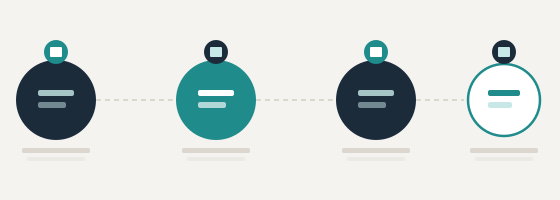
From enquiry to active use in four stages
The access process is designed to be straightforward. Here is what happens after you submit your first enquiry to Brumwickle.
Submit your enquiry
Use the contact form to describe your requirements. Include any relevant context about the type of information you intend to organise.
Review and dialogue
The support team reads your request and may reply with clarifying questions. This stage ensures that access is set up appropriately for your situation.
Access confirmed
Once the review is complete and access is approved, credentials and initial orientation materials are provided by email.
Begin organising
With access active, you can begin using the classification, review, and retrieval functions to work with your information through the interface.
Questions about a specific function?
The support team can discuss whether a particular capability meets your requirements before you submit a formal access request.